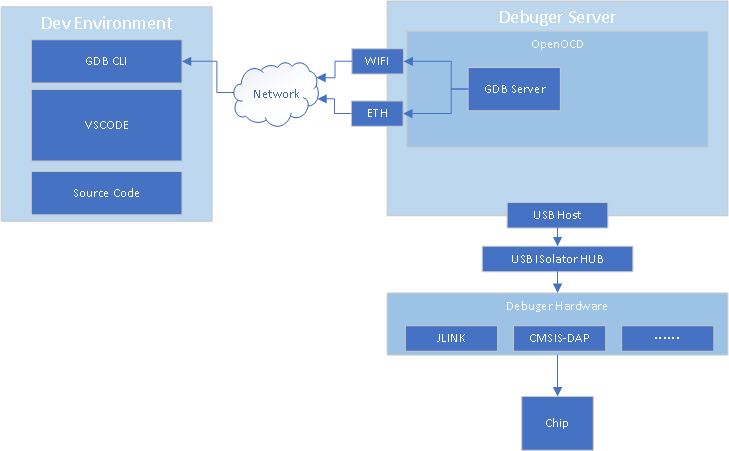
服务器设计
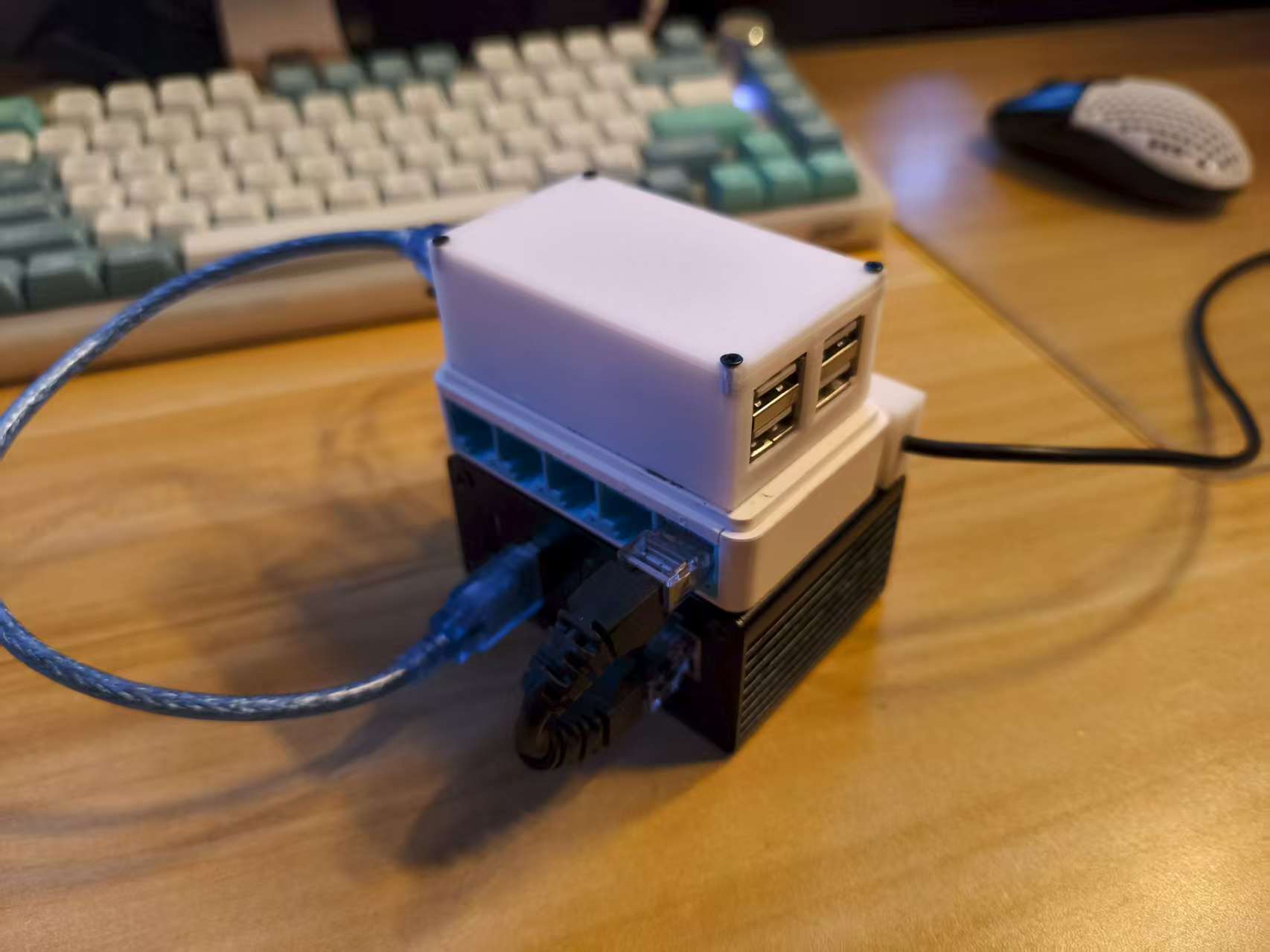
实物图,从上到下三层分别位USB隔离器,交换机,树莓派Zero2W
下载、安装并测试Jlink驱动
https://www.segger.com/downloads/jlink/
dpkg -i JLink_Linux_V688_arm.deb
b1gm4x@PIZERO:~$ JLinkExe
SEGGER J-Link Commander V6.88 (Compiled Nov 12 2020 17:46:45)
DLL version V6.88, compiled Nov 12 2020 17:45:21

Connecting to J-Link via USB...O.K.
Firmware: J-Link V11 compiled Apr 27 2041 16:36:21
Hardware version: V11.00
S/N: 941000024
License(s): GDB, JFlash, FlashDL, RDI, FlashBP
VTref=3.303V


Type "connect" to establish a target connection, '?' for help
J-Link>
安装 OpenOCD编译依赖
sudo apt install -y git gcc binutils build-essential make libtool pkg-config autoconf automake texinfo libgpiod-dev libftdi-dev libusb-1.0-0 libhidapi-dev libjaylink-dev
下载 OpneOCD源码
git clone git://git.code.sf.net/p/openocd/code openocd-git
配置、构建OpenOCD
cd openocd-git
拉取安装子模组jimctl
git submodule update --init --recursive
cd ./jimctl
./bootstrap
sudo make
sudo make install
构建OpenOcd
cd ..
./bootstrap
./configure --enable-linuxgpiod  --enable-bcm2835gpio --enable-sysfsgpio --enable-cmsis-dap --enable-ftdi --enable-jlink --enable-ulink --enable-stlink
sudo make
sudo make install
创建树莓派 GPIO配置文件
测试OpenOCD
b1gm4x@PIZERO:~$ openocd -f interface/jlink.cfg -f target/stm32f1x.cfg
Open On-Chip Debugger 0.12.0+dev-01084-gcbc32c383 (2025-07-20-18:33)
Licensed under GNU GPL v2
For bug reports, read
        http://openocd.org/doc/doxygen/bugs.html
Warn : DEPRECATED: auto-selecting transport "jtag". Use 'transport select jtag' to suppress this message.
Info : Listening on port 6666 for tcl connections
Info : Listening on port 4444 for telnet connections
Info : J-Link V11 compiled Apr 27 2041 16:36:21
Info : Hardware version: 11.00
Info : VTarget = 3.303 V
Info : clock speed 1000 kHz
Error: JTAG scan chain interrogation failed: all zeroes
Error: Check JTAG interface, timings, target power, etc.
Error: Trying to use configured scan chain anyway...
Error: stm32f1x.cpu: IR capture error; saw 0x00 not 0x01
Warn : Bypassing JTAG setup events due to errors
Error: Invalid ACK (0) in DAP response
由于我的板卡使用SWD协议,且自带的JLINK配置文件不支持SWD,添加配置文件
# SPDX-License-Identifier: GPL-2.0-or-later

#
# SEGGER J-Link
#
# http://www.segger.com/jlink.html
#

adapter driver jlink
transport select swd
# The serial number can be used to select a specific device in case more than
# one is connected to the host.
#
# Example: Select J-Link with serial number 123456789
#
# adapter serial 123456789
链接板卡运行OpenOCD
b1gm4x@PIZERO:~$ openocd -c "bindto 0.0.0.0"  -f interface/jlink-swd.cfg -f target/stm32f1x.cfg
Open On-Chip Debugger 0.12.0+dev-01084-gcbc32c383 (2025-07-20-18:33)
Licensed under GNU GPL v2
For bug reports, read
        http://openocd.org/doc/doxygen/bugs.html
Info : Listening on port 6666 for tcl connections
Info : Listening on port 4444 for telnet connections
Info : J-Link V11 compiled Apr 27 2041 16:36:21
Info : Hardware version: 11.00
Info : VTarget = 3.303 V
Info : clock speed 1000 kHz
Info : SWD DPIDR 0x1ba01477
Info : [stm32f1x.cpu] Cortex-M3 r1p1 processor detected
Info : [stm32f1x.cpu] target has 6 breakpoints, 4 watchpoints
Info : [stm32f1x.cpu] Examination succeed
Info : [stm32f1x.cpu] starting gdb server on 3333
Info : Listening on port 3333 for gdb connections
Info : accepting 'gdb' connection on tcp/3333
Info : device id = 0x20036410
Info : flash size = 64 KiB


此时GDB服务器已经在0.0.0.0的3333端口了(默认是127.0.0.1,如果要外部访问必须添加指令 -c "bindto 0.0.0.0")


(gdb) target remote 192.168.1.110:3333
Remote debugging using 192.168.1.110:3333
warning: while parsing target description (at line 4): Target description specified unknown architecture "arm"
warning: Could not load XML target description; ignoring
warning: No executable has been specified and target does not support
determining executable automatically.  Try using the "file" command.
Truncated register 16 in remote 'g' packet
(gdb)


gdb连接成功